How it works01 / 07

From the room to the notes, on one phone

  1. 01

    Record or import

    Record in the room for hours with the screen off, or bring in a file you already have, from any app.

  2. 02

    Transcribed on your phone

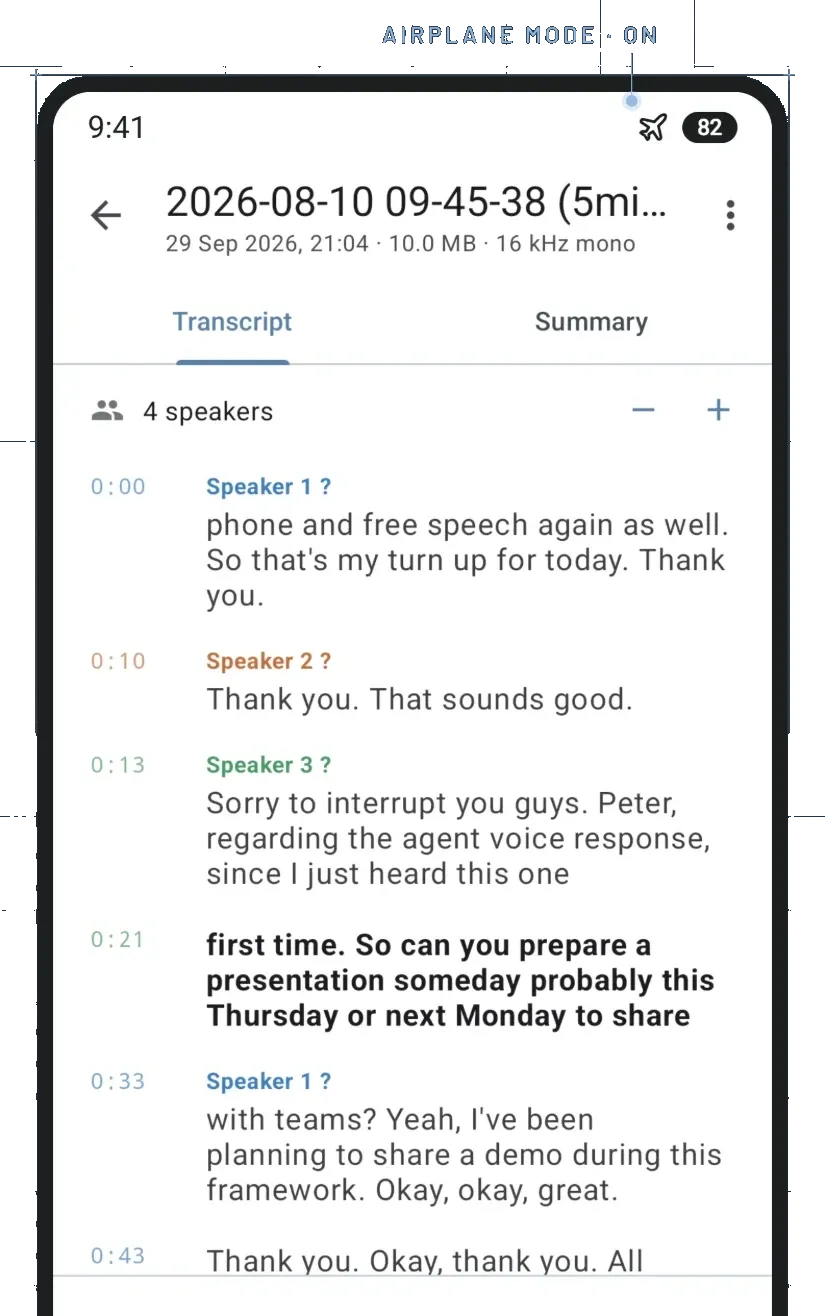
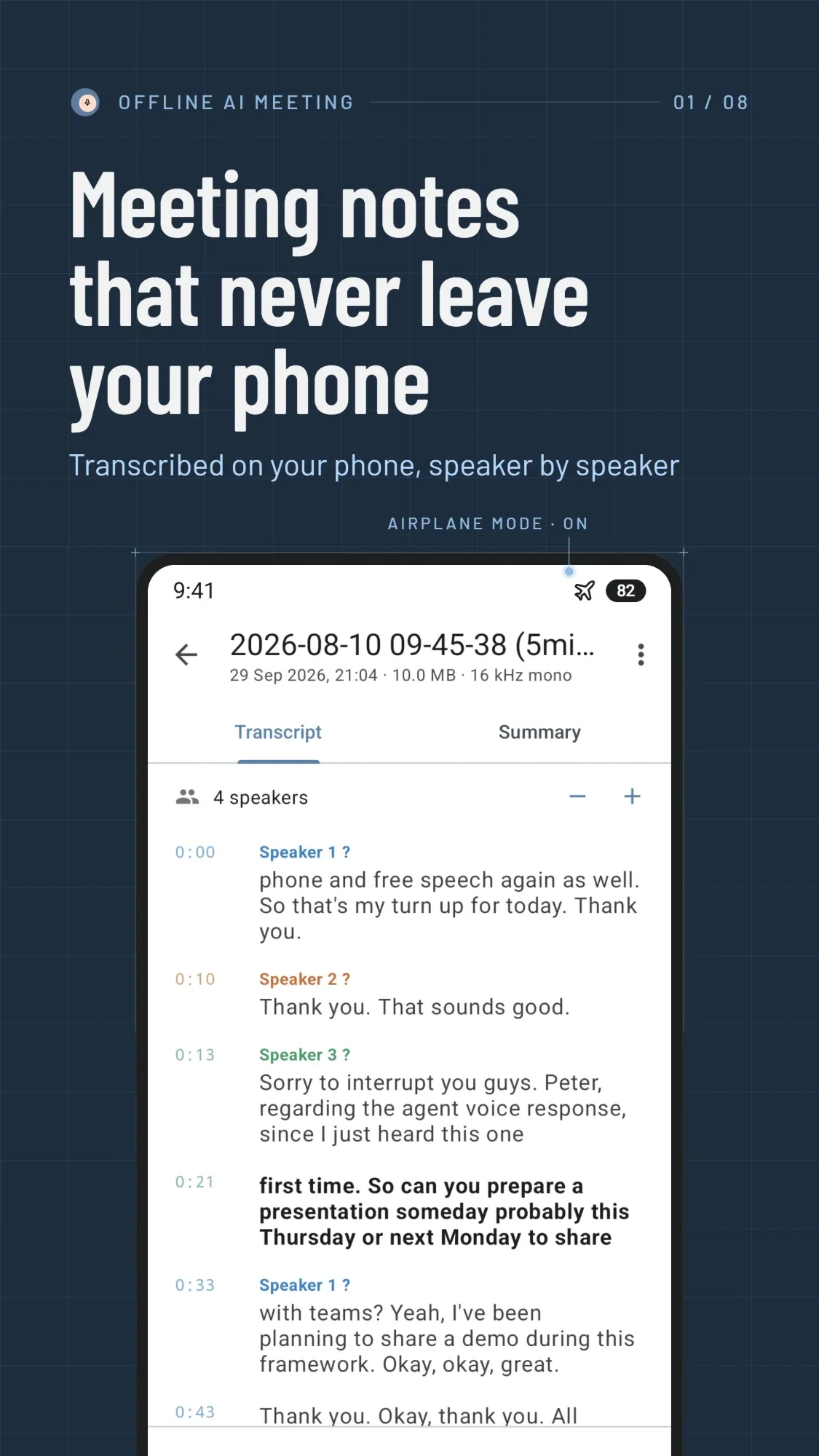
    When the meeting ends, speech becomes text line by line, with timestamps and a label for each speaker.

  3. 03

    Notes you can act on

    A summary with decisions and an action-item checklist. Ask questions, search every word, export when you are ready.

Features02 / 07

Everything after the recording stops

01

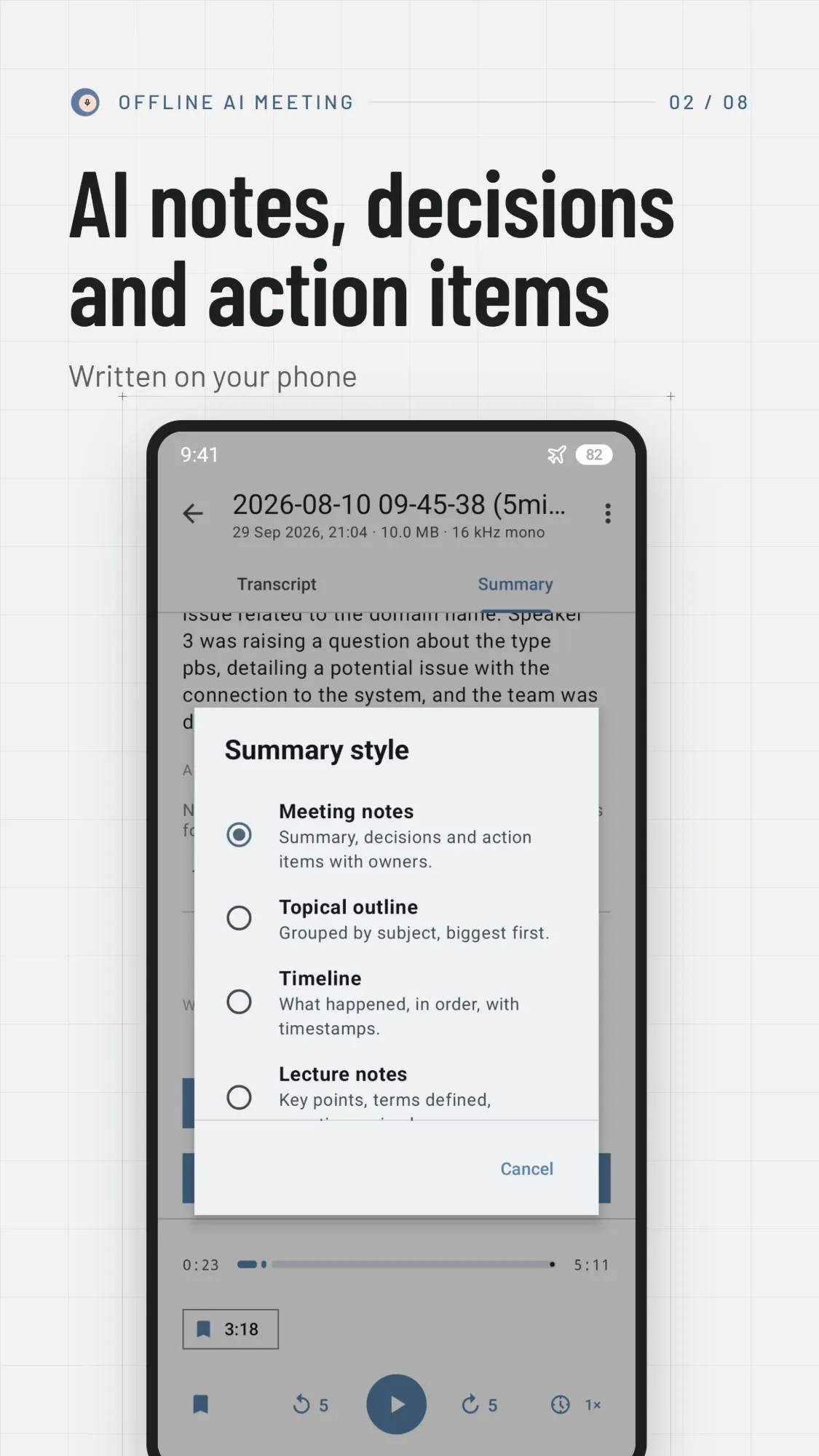
AI notes, decisions and action items

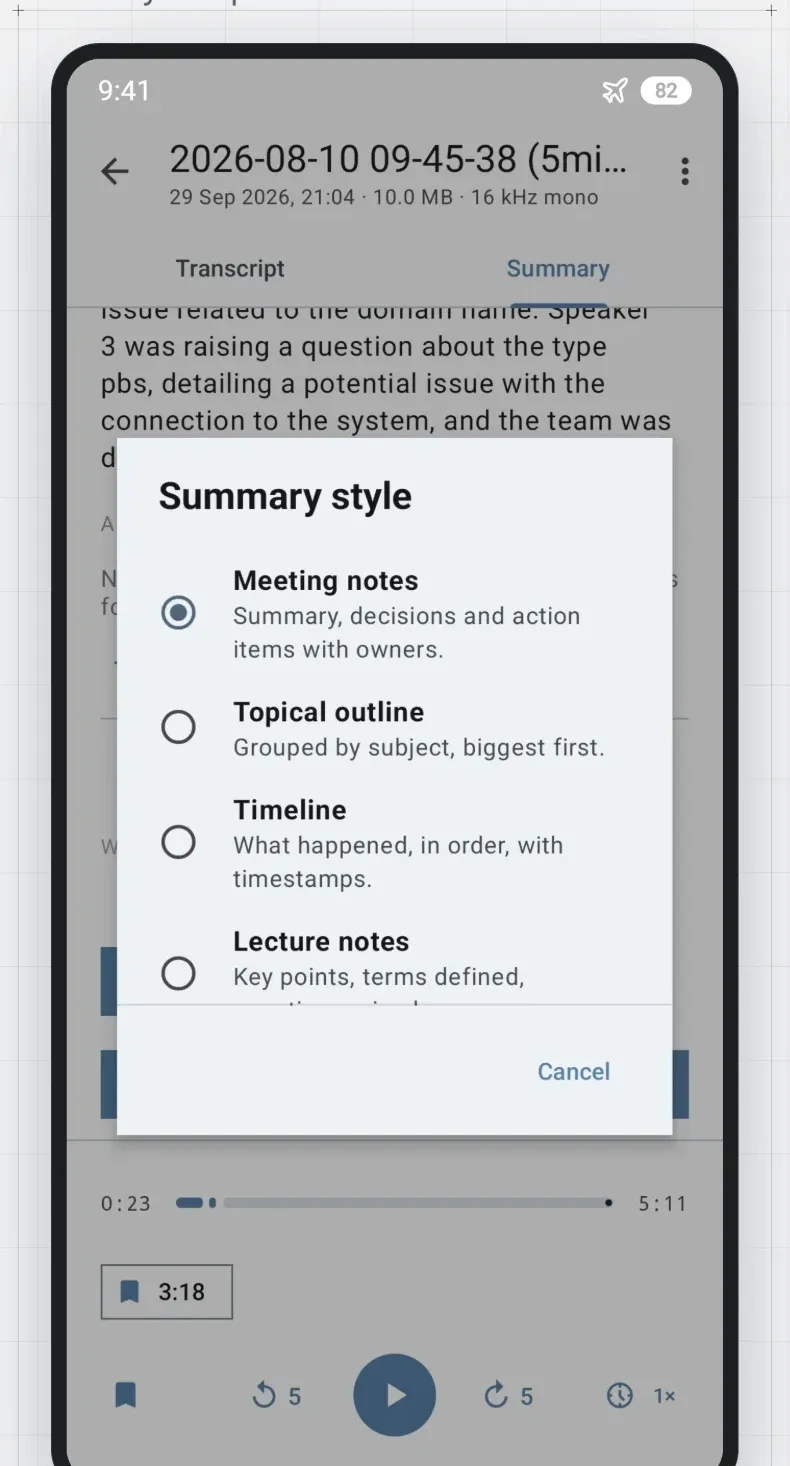
A language model on your phone reads the transcript and writes the notes, in the shape the meeting needs.

  • Four styles: meeting notes, by topic, timeline or lecture
  • Action items become a checklist you can tick, edit and add to
  • Summarize automatically once the transcript is ready
Choosing a summary style: meeting notes, topical outline, timeline or lecture notes

02

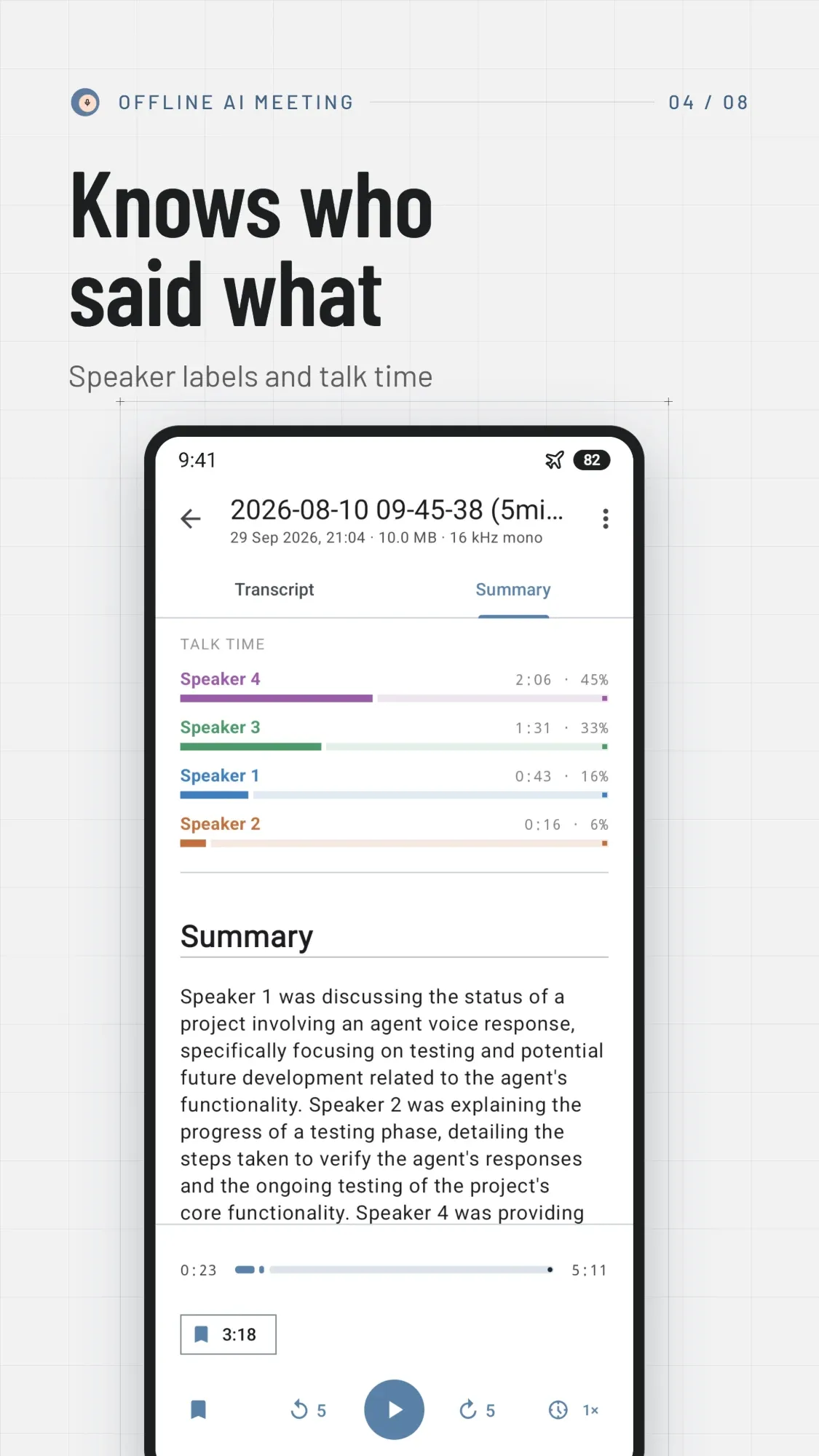
Knows who said what

Every turn is labelled by speaker, with no voice training and no sign-up.

  • Rename a speaker and the whole transcript follows
  • Fix a single line, or change the number of speakers
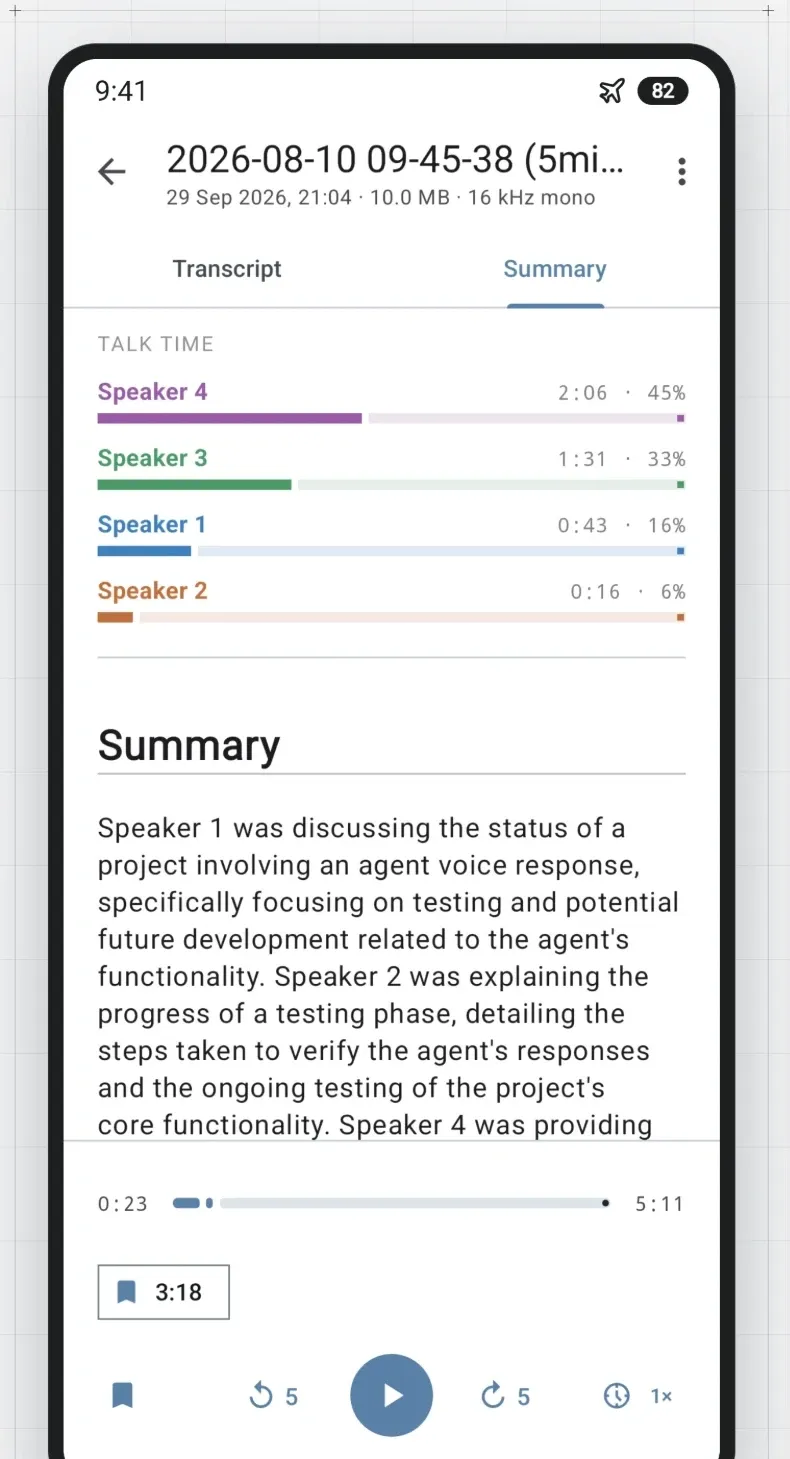
  • See how long each person talked
Talk time for four speakers above the meeting summary

03

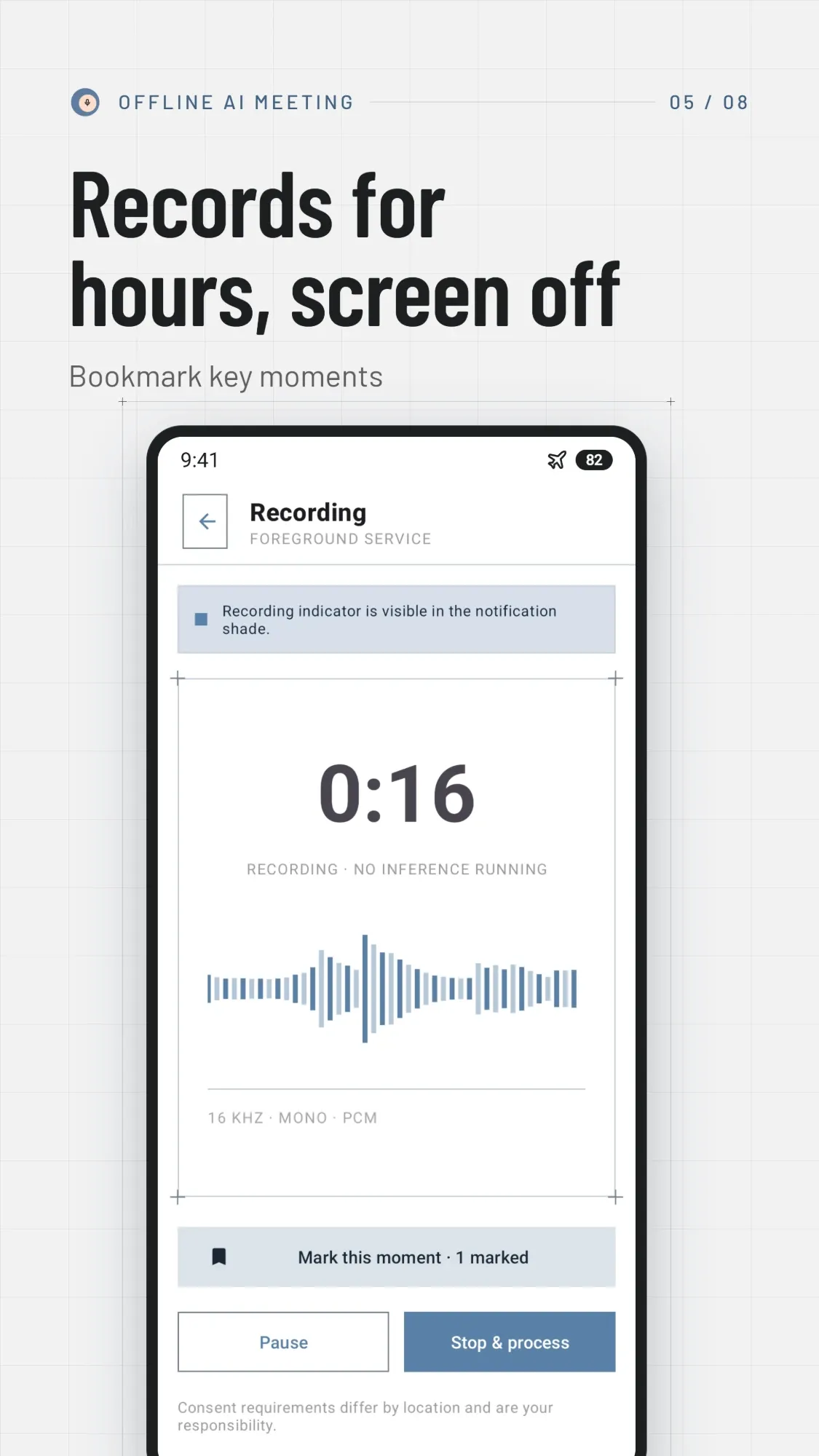
Records for hours, screen off

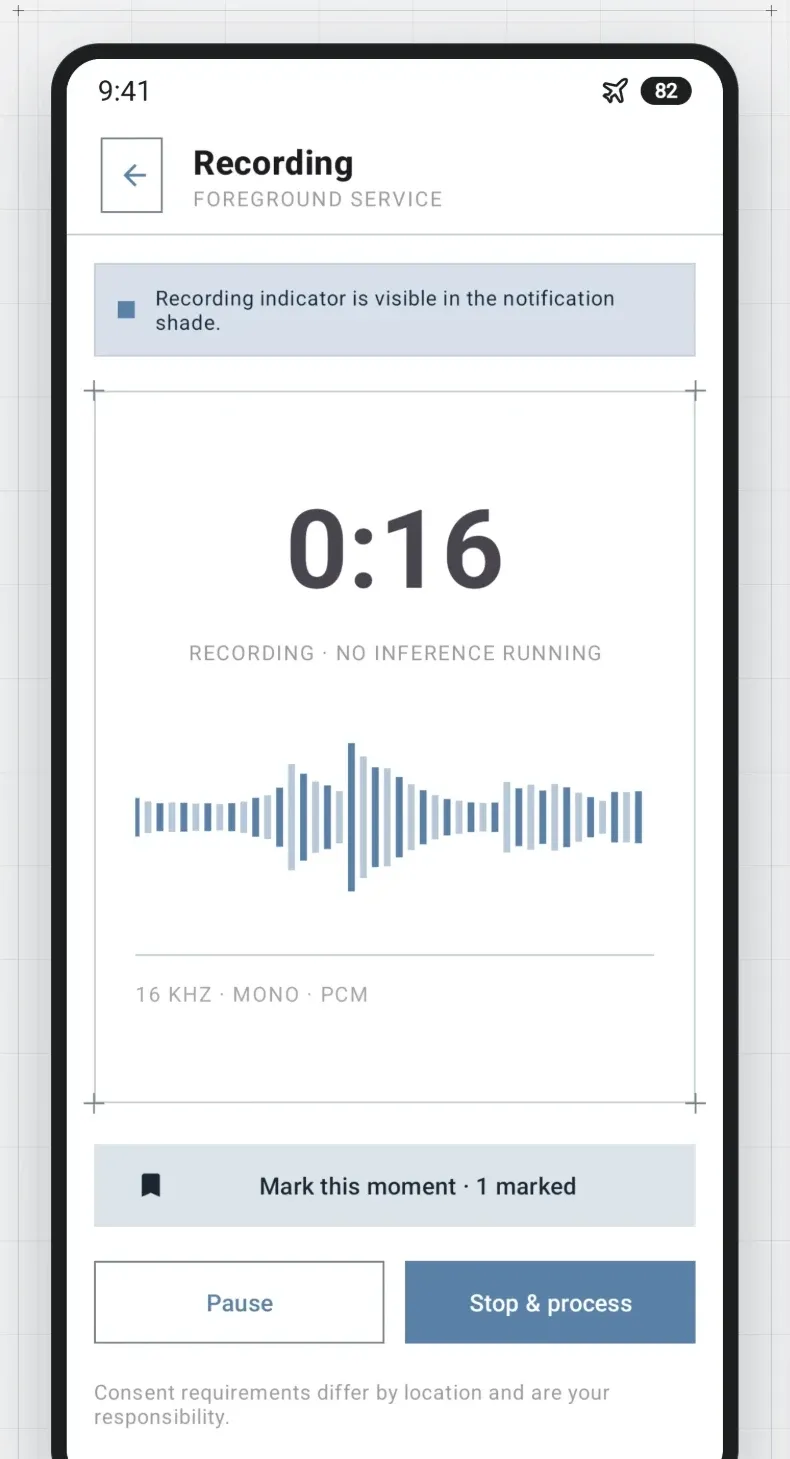
Built for long meetings. Recording always shows in the notification bar, so the room is never guessing.

  • Mark key moments while you record
  • Pause and resume
  • Processing starts when you stop, not during the meeting
The recording screen with a live waveform and a marked moment

04

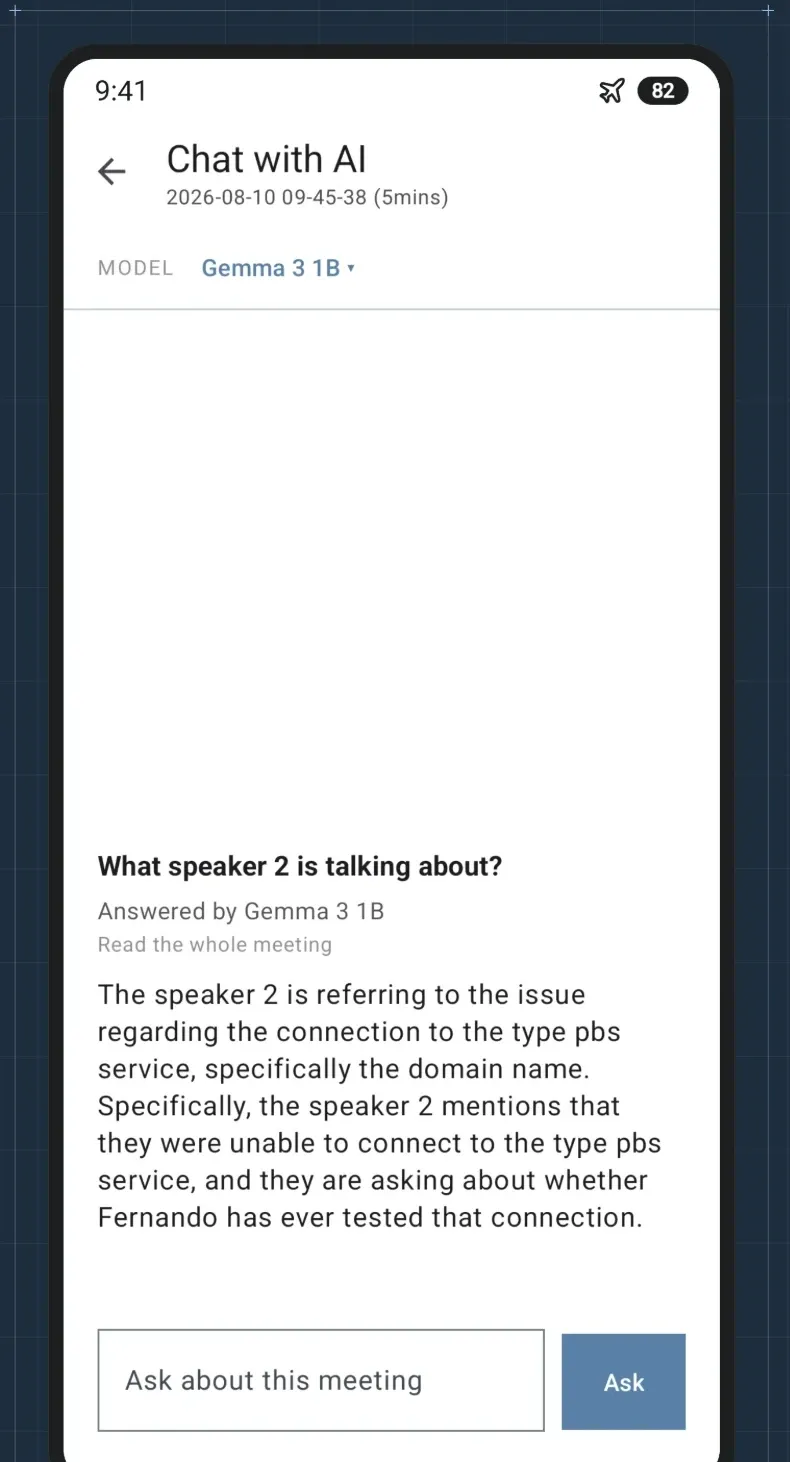
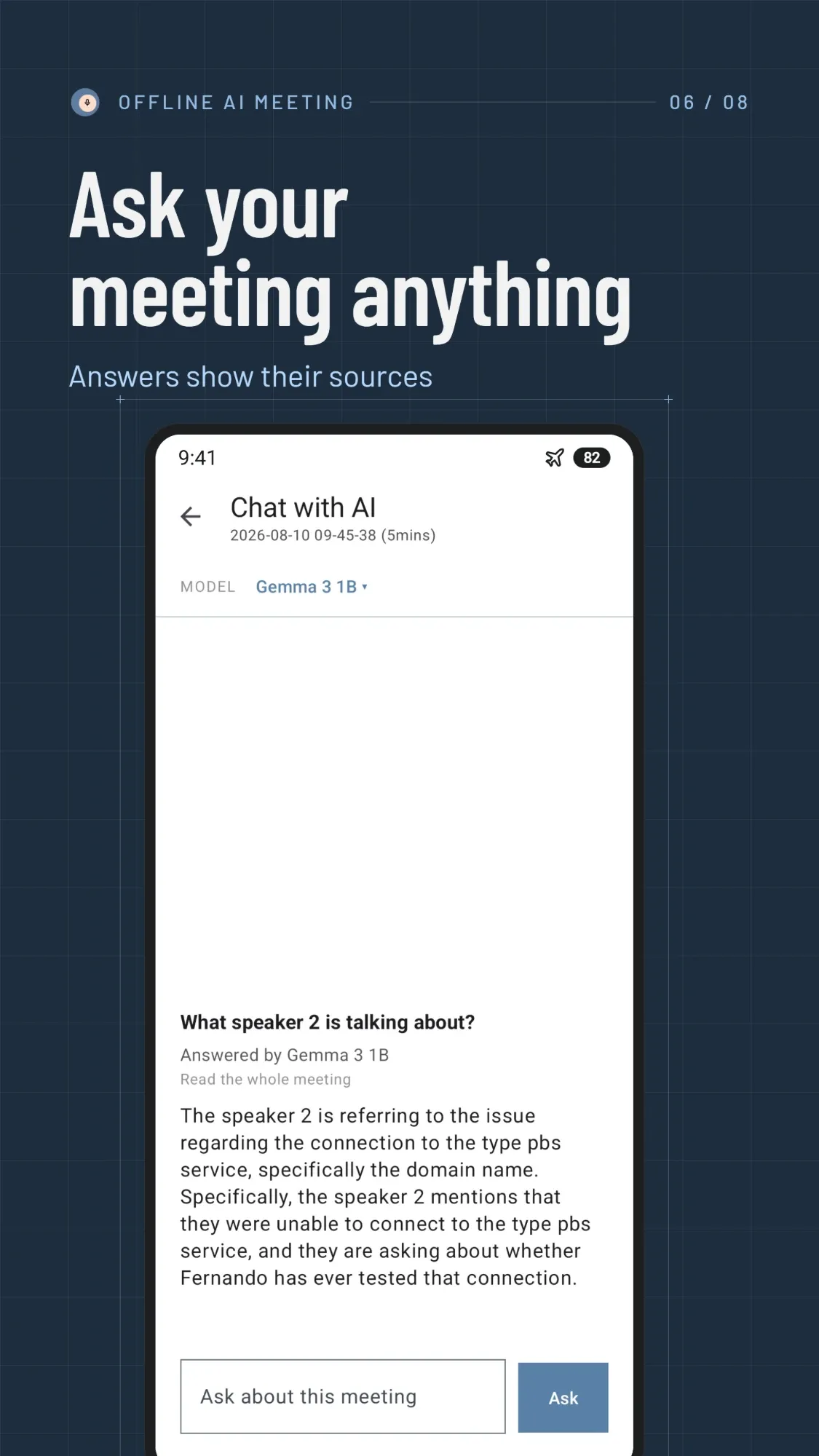
Ask your meeting anything

Ask a question in plain words and get an answer from the transcript, written on your phone.

  • “What did we decide about the budget?”
  • Each answer shows the lines it came from
  • Pick up the conversation straight from the notes
A question about the meeting answered by the on-device model

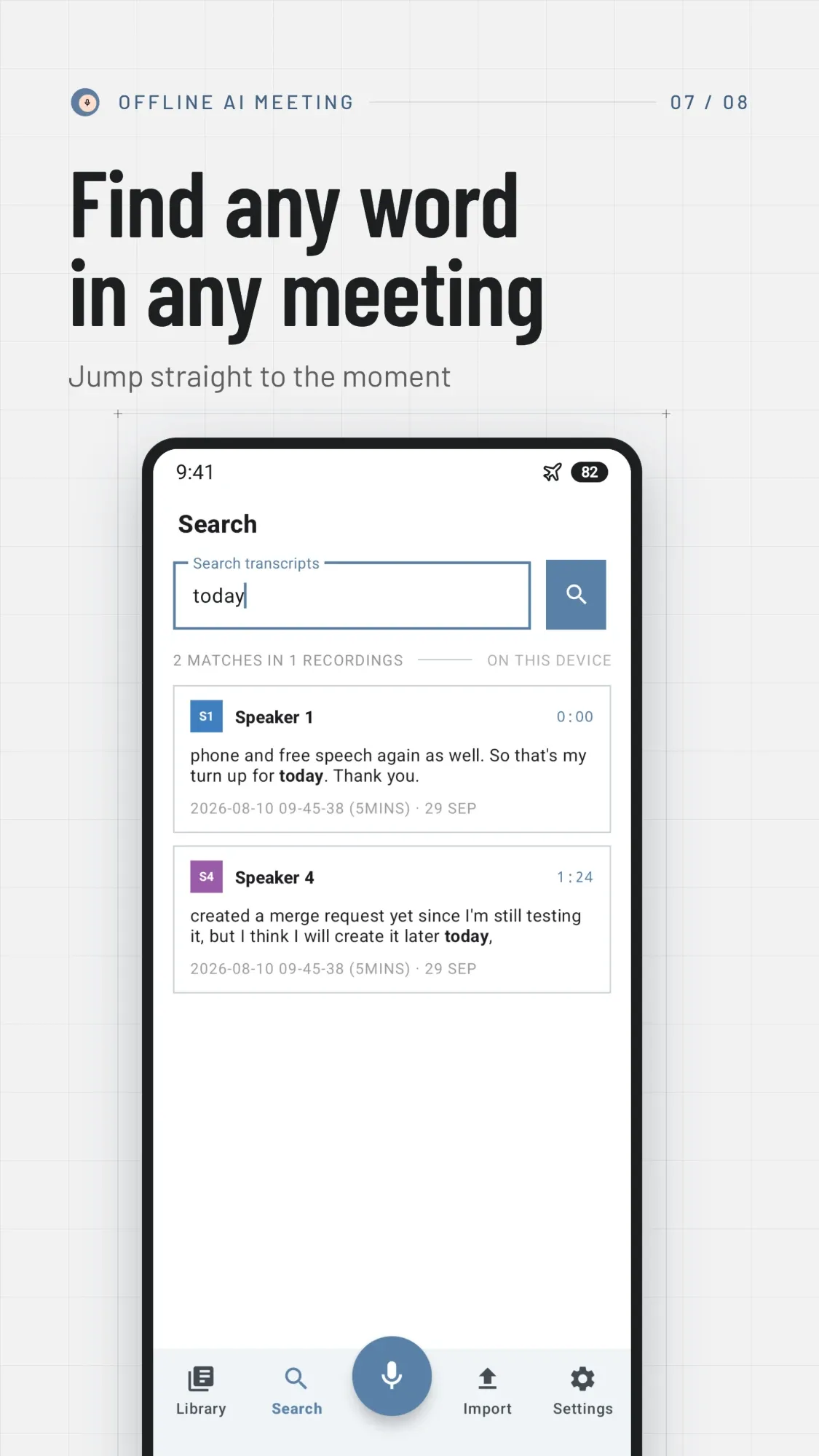
Search every word

Find a phrase across all your recordings and jump to the moment it was said.

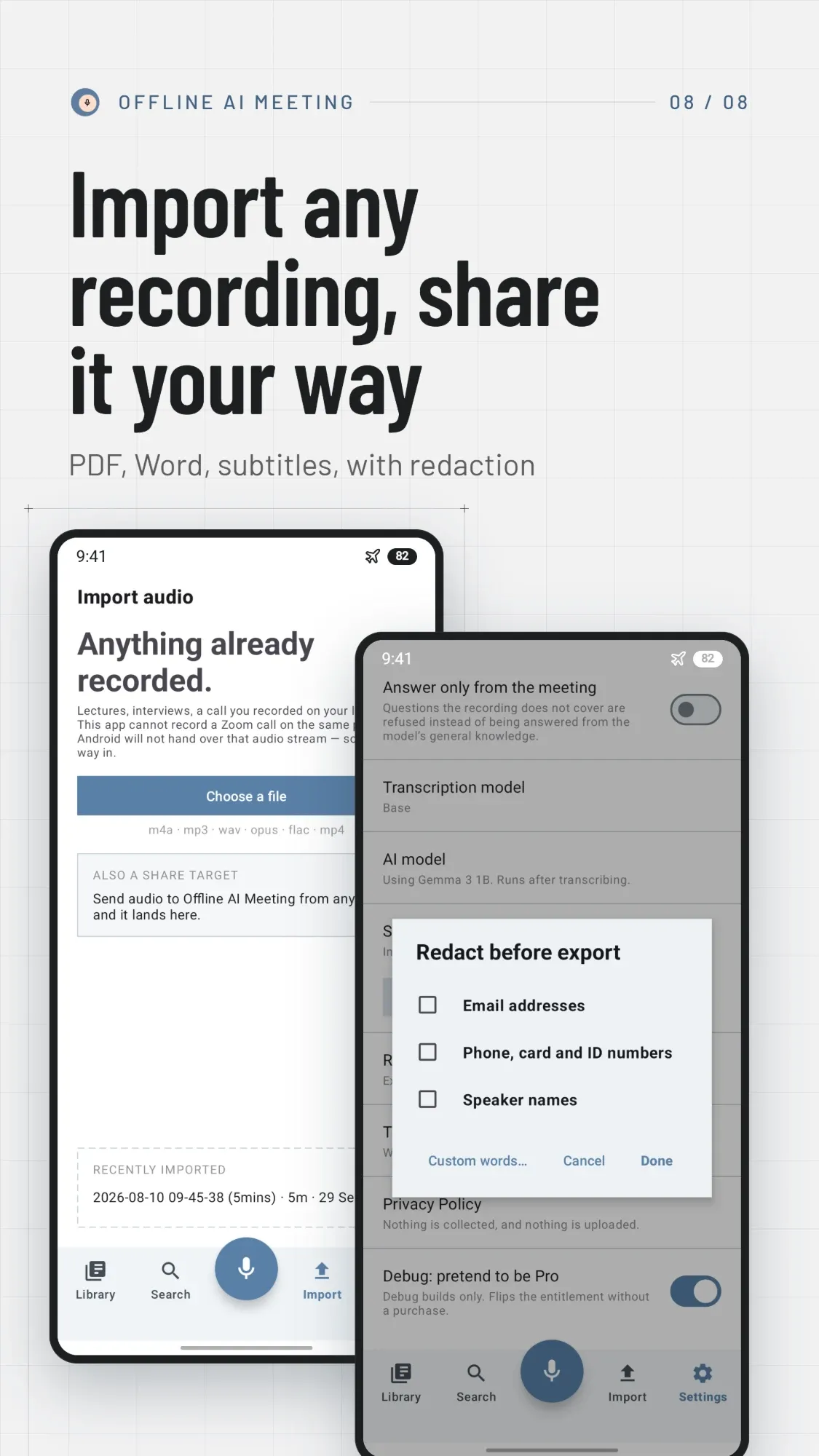
Import any recording

MP3, M4A, WAV, Opus, FLAC or MP4, or share a voice note straight in from another app.

Export your way

PDF, Word, Markdown, plain text, subtitles, CSV and JSON.

Redact before sharing

Hide emails, phone and card numbers, speaker names or any word. The copy on your phone stays whole.

Edit the transcript

Fix a name or a misheard word. Edited lines are marked, so you know what changed.

12 featured languages

English, Spanish, French, German, Italian, Portuguese, Dutch, Polish, Russian, Japanese, Korean and Indonesian, and many more.

Who it is for04 / 07

For conversations that can’t go to a server

Confidential work

Lawyers, doctors, therapists, consultants and HR, where client conversations must not be uploaded.

Students and researchers

Lectures, study groups and interviews, turned into notes you can search.

Journalists

Interviews transcribed without handing your sources to a third party.

Teams

Standups, one-on-ones and client calls, with the decisions and owners written down.

Screens05 / 07

Pricing06 / 07

Start free. Add Pro when you want the notes.

Recording, transcription and search are free, without limits. Pro adds the parts that do the thinking, and they run on your phone too.

Free

$0 forever

  • Unlimited recording and import
  • On-device transcription with the Base model
  • Search across every recording
  • Edit transcripts and add tasks by hand
  • Plain text and audio export

Pro

Everything in Free, plus:

  • Speaker labels and talk time
  • AI notes, decisions and action items
  • Ask your meeting
  • High and Max speech models for accents and noisy rooms
  • Every export format, with redaction
Monthly$4.99/ month
YearlyBest value$29.99/ year
LifetimeNo subscription$69.99once

Monthly and yearly plans start with a 7-day free trial. Google Play shows prices in your currency, and you can cancel any time there.

FAQ07 / 07

Questions, answered plainly

Does it really work without internet?

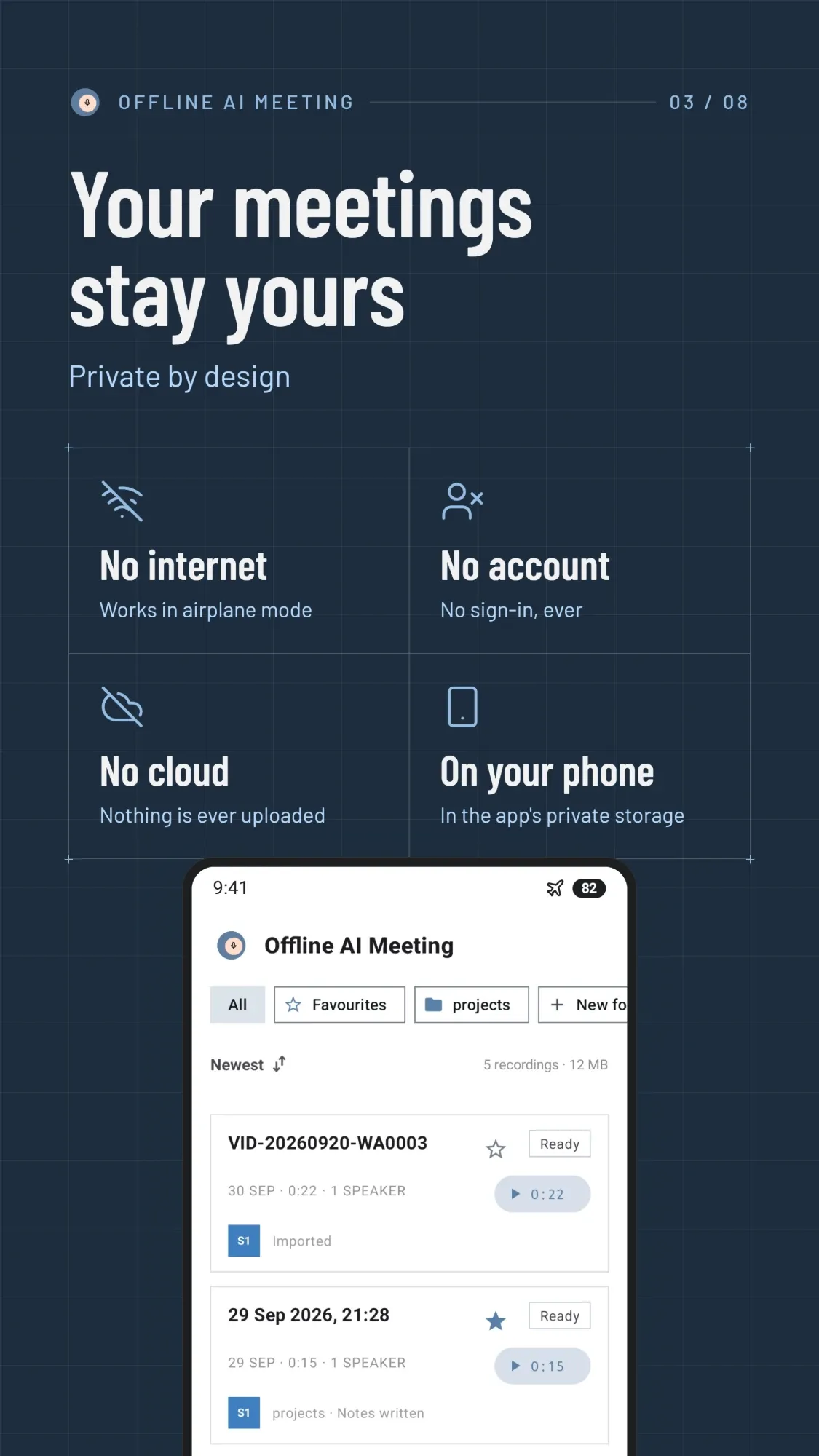
Yes. The first run downloads the speech model, and the AI notes model if you choose it. After that, recording, transcription, speaker labels, notes, questions and search all work in airplane mode.

Is my audio uploaded anywhere?

No. Audio, transcripts and notes stay in the app’s storage on your phone and are left out of cloud backups. There is no account and no analytics. Files leave only when you export and share them yourself.

Can it record Zoom, Teams or Google Meet calls?

Not on the same phone: Android does not let other apps capture call audio. Record the call on your computer and import the file, or share a call recording into the app.

Which languages does it support?

It transcribes English, Spanish, French, German, Italian, Portuguese, Dutch, Polish, Russian, Japanese, Korean and Indonesian well, and many other languages with varying accuracy. English-only models are more accurate if English is all you need.

Which phones can run it?

Android 8.1 and up. Transcription works on any supported phone. AI notes need more memory, and the app checks your phone before offering a model, so it never downloads one your phone cannot run.

How long does processing take?

It depends on your phone and the model you choose, and a long meeting can take a while. Processing runs in the background, so you can close the app and come back to the finished transcript.

Is it HIPAA or GDPR compliant?

We don’t certify compliance with any regulation. What we can say is that your audio, transcripts and notes are processed and stored on your phone and never sent to us or anyone else. Check with your organisation whether that meets its requirements.

How do I cancel Pro?

Subscriptions are managed by Google Play: open the Play Store, then Payments & subscriptions, then Subscriptions. Cancel before the trial ends and you pay nothing.

What happens to my recordings if I uninstall?

They are deleted with the app, because no copy exists anywhere else. Export anything you want to keep first.